How to Sell Event Tickets Online in Sri Lanka — A Complete Step-by-Step Guide
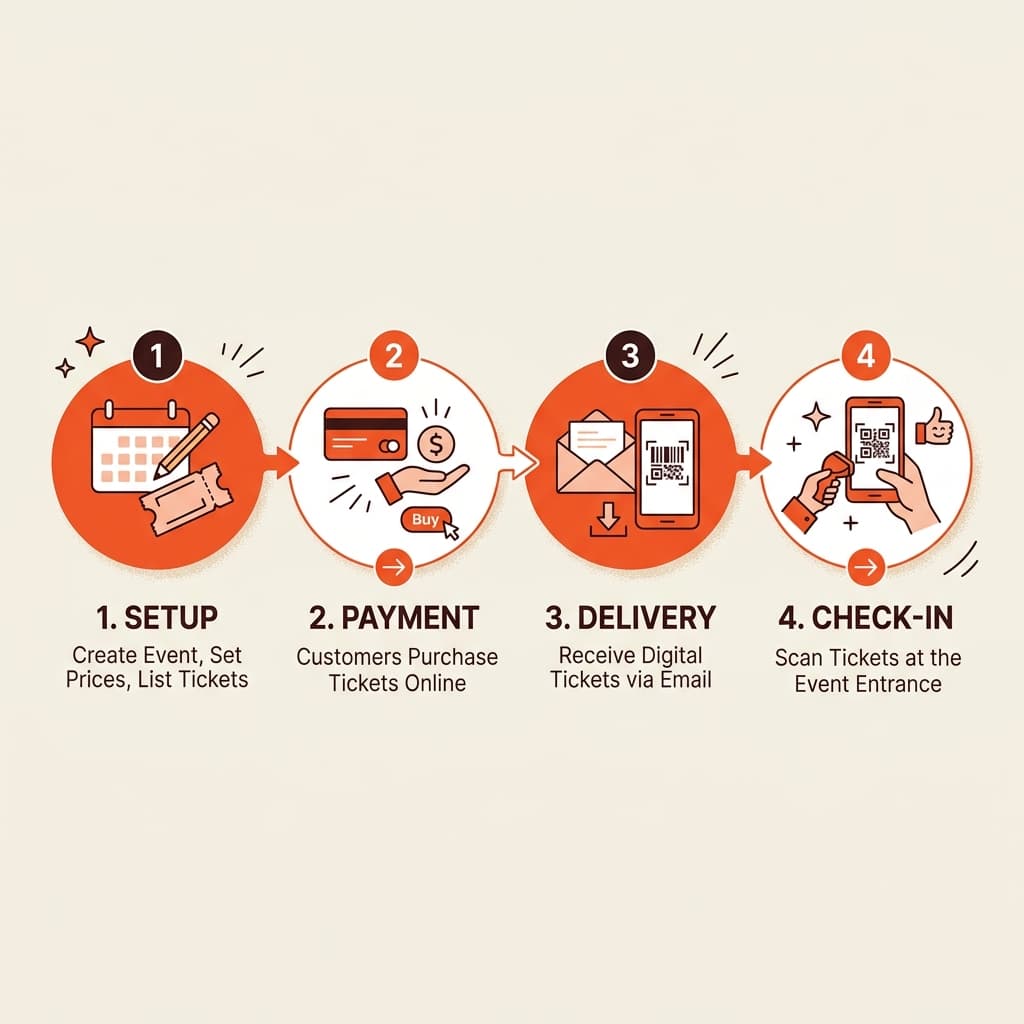
Many event organizers in Sri Lanka still run ticketing through a combination of WhatsApp groups, bank transfers, and personal follow-ups. It works — until your event has 300 attendees, your phone does not stop ringing, and someone shows up on event day without a ticket you cannot verify. Moving ticket sales online is not complicated. It does not require a developer, a big budget, or weeks of setup. This guide walks through every step, from choosing a platform to going live with your first sale.
Step 1: Choose the Right Ticketing Platform for Sri Lanka
The first decision is the most important. Your ticketing platform needs to support local payment gateways. In Sri Lanka, PayHere is the dominant CBSL-approved gateway — supporting Visa, Mastercard, Amex, mobile wallets like Genie and FriMi, and internet banking through Sampath Vishwa. Stripe, which powers many global ticketing tools, is not officially available to Sri Lankan businesses. So any platform that relies exclusively on Stripe as its payment processor will not work natively for you. Look for a platform that: connects to PayHere or another local gateway, displays pricing in LKR, delivers tickets via both email and SMS, and has local customer support.
Step 2: Create Your Event and Set Up Ticket Tiers
Once you have a platform, set up your event. This means entering the event name, date, time, and venue. Then define your ticket types. Most events benefit from at least two tiers: an early-bird price that rewards quick buyers and creates urgency, and a standard price that captures the majority of sales. For concerts or VIP events, add a premium tier with benefits like priority entry or reserved seating. Set your capacity carefully. If the venue holds 500 people, cap tickets at 500 — or slightly below to leave room for walk-ins or media passes.
Step 3: Connect Your Payment Gateway
This is the step that trips up most first-time online sellers. You need a verified merchant account with your chosen gateway before you can accept live payments. For PayHere, you register as a business, verify your Sri Lankan bank account, and go through an approval process. PayHere's LITE plan has no monthly fee (processing fee of 3.30%) and allows up to LKR 200,000 in monthly transactions — suitable for smaller events. For larger events, the PLUS plan (LKR 3,990/month) reduces processing to 2.99% and raises the limit to LKR 3 million. Plan for 2–5 business days to get your gateway account verified. Do not leave this until the week before your event.
Step 4: Configure Ticket Delivery — Email and SMS
After a buyer completes payment, your ticketing platform should automatically generate a unique QR code, embed it in a PDF ticket, and deliver it via email and SMS — without any manual action from your team. This automation is non-negotiable. If your system requires you to manually send tickets, you will miss sends. SMS delivery is especially important in Sri Lanka. Not every attendee checks their email reliably, but almost everyone reads an SMS.
Step 5: Go Live and Promote Your Ticket Link
Once setup is complete and you have tested a live transaction, you are ready to launch. Share your ticket link everywhere your audience is: Facebook Events, Instagram bio and stories, LinkedIn for corporate events, WhatsApp broadcast to your contact list, email to your subscriber list, and any community groups relevant to your event. Track which channels are driving sales. If you have UTM parameters set up on your ticket URLs, you will see exactly where your buyers are coming from.
Selling tickets online in Sri Lanka does not have to be complicated. The right platform handles payment processing, ticket generation, delivery, and real-time tracking automatically — so your team can focus on running a great event. Skroll was built for exactly this: a complete setup in less than a day, with PayHere integration, dual-channel delivery, and a dashboard that keeps you in control from launch to gate.
Running an event in Sri Lanka?
See how Skroll handles the entire ticketing operation — from setup to sold out.
Further Reading
Written by Skroll Editorial Team
VerifiedEngineering, event operations, and digital ticketing insights curated by the Skroll team in Colombo, Sri Lanka.